
Get going with MobileGo!
The more that smartphones become like computers, the more complex and prone to problems they can be. Sometimes all you want is more access in order to deal with pesky problems bulk installs or file management, but the default apps in your phone often don’t do everything you need. Fortunately, developers are aware of this and for the savvier phone user, there are programs like MobileGo which address all your mobile management needs, even with the free trial.
Top Recommended Alternative

Solving mobile issues
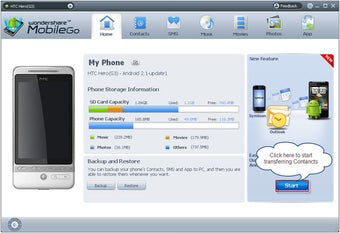
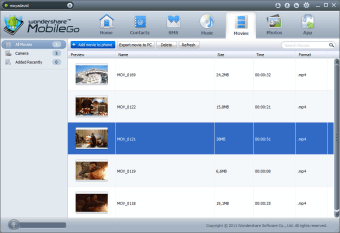
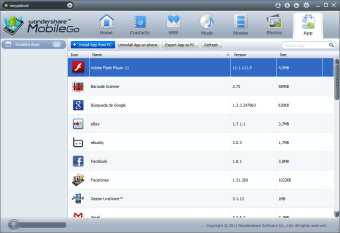
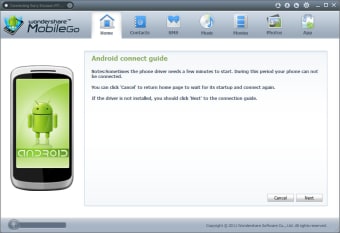
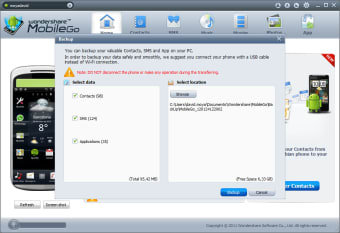
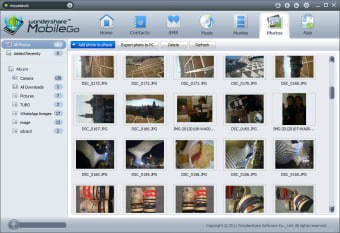
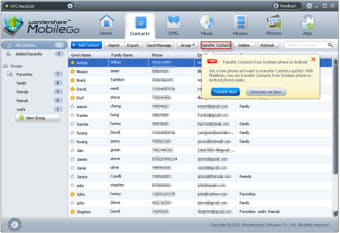
Wondershare’s MobileGo is a very powerful tool for getting deeper access into your phone and managing several aspects that can be a paid to tinker with through the touchscreen. Installed on your PC, it can access your device just by plugging in, plus it works with both Android and Apple devices. The software is aimed at doing all those things that are fiddly to do with touch, like moving large numbers of files at once, or making backups. For example, Android users can install apps in batches, type and send SMS from the keyboard and transfer files, from music to texts. Meanwhile Apple users can manage all those files too and create instant backups. Being able to make a restore point for your phone can be so useful in preventing costly losses. The software essentially works like a replacement for iTunes, while offering several additional features like sending SMS from your PC and rooting the device to accept third party software. You don’t even have to sacrifice the App store aspect of iTunes as you can browse music and video sites and download the files.
Smart, modern software
MobileGo excels at something that iTunes often does not; usability. The software is very easy to learn and understand, with most options being clearly labeled and organized into neat categories. Several functions are designed for you to activate with one click, such as the rooting. There are three main categories to explore; essential, advanced and media management. These are simply key features, deeper features and the section for adding or removing music and video. You really can’t go wrong, especially if you make a quick backup first. The software features a smooth, blue and white visual theme that looks very professional. Text is bold and easy to read, with every button carrying an explanation. All in all, this is very accessible software which unlocks some new aspects to your phone. Being able to easily add songs and video from the Internet is a huge plus. On the downside, if you don’t care much about tinkering and file management, iTunes does all of the main things you need for iDevices.
MobileGo for it!
This software is one of Wondershare’s stronger offerings and it really does make it easy to manage your phone. Android users who have no iTunes may find this useful for making regular backups and for spring cleaning their devices, to make room for new apps. Though it is not free, you can try it for free and it’s worth it to see how much more you can get out of your phone. If nothing else, you may find yourself saving some time.